Everything about you lives on the Profile page.
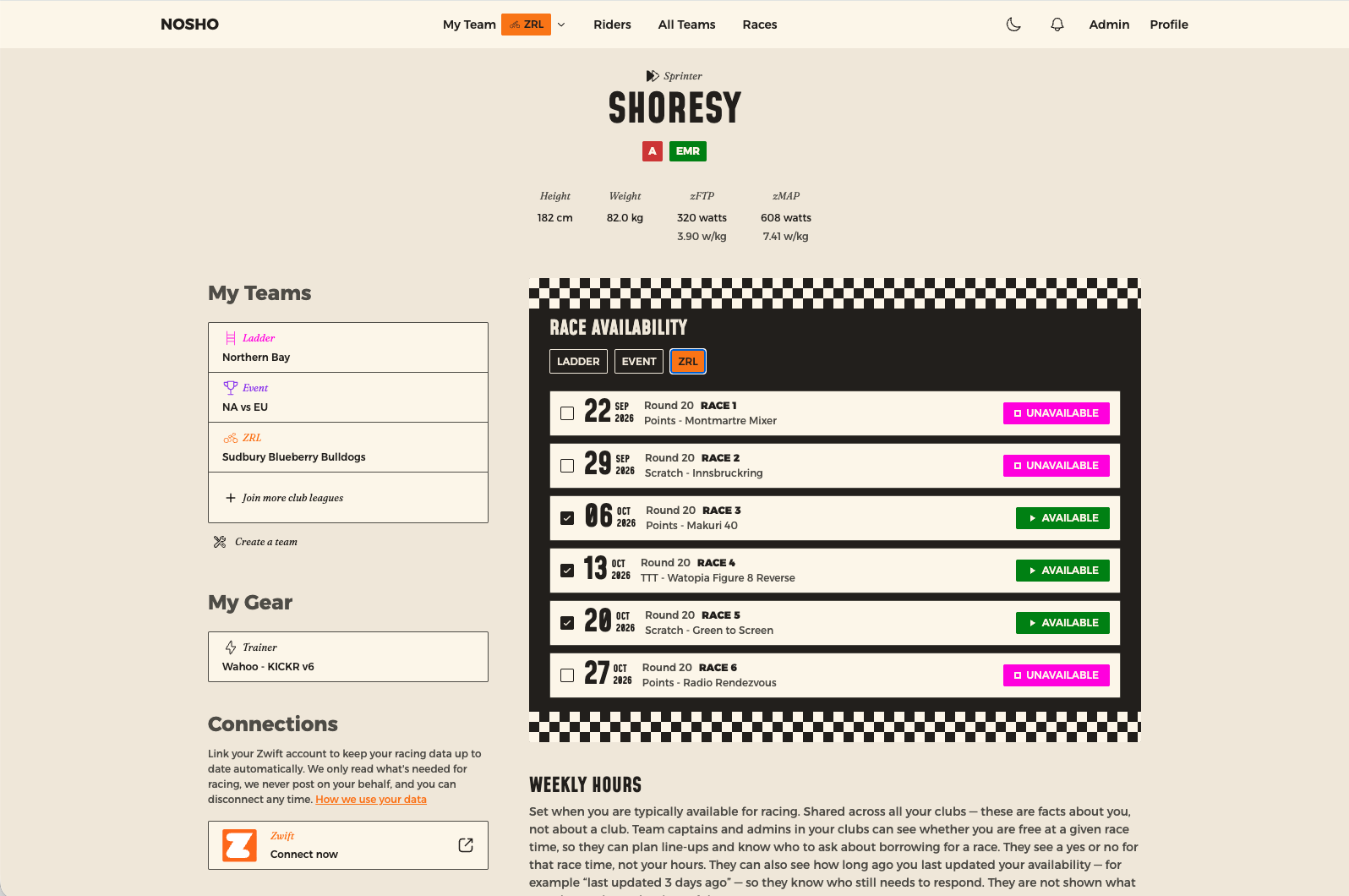
What's on it
- Your name, phenotype, category and tier across the top, with height, weight, zFTP and zMAP
- My Teams — one team per competition you race in
- Connections — your Zwift link
- Race Availability and Weekly Hours — see Say when you can race
- Timezone — see Setting your timezone
Editing your details
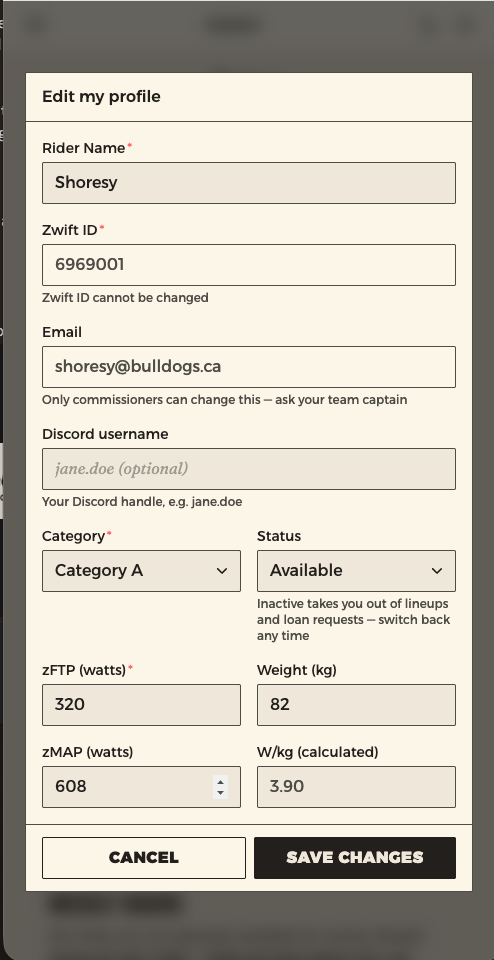
Edit my profile lets you fix your own information without asking anyone.
| You can change | Notes |
|---|---|
| Your name | As it appears to your captains and across the app |
| Your Discord handle | So your club can find you |
| Your cycling data | Only the values you entered by hand — see below |
What the Zwift sync owns
If your Zwift account is connected, Category, zFTP, Weight and zMAP are locked.
That isn't an oversight. The sync refreshes those figures from your actual racing, so anything you typed over them would be overwritten at the next update — locking them saves you making an edit that silently disappears.
If one of those numbers looks wrong
It's coming from Zwift, so that's where to fix it. It'll correct itself here on the next sync. If you're not connected, these stay editable by hand — though connecting is the better answer. It's also what gives you a CP figure on your team's roster, where your captain picks from.
Two other things you can't edit:
- Your Zwift ID — fixed once your account exists.
- Your email address — ask an admin and they'll change it for you.
Taking a break
You can pause your own racing. Set yourself from Available to Inactive on your profile.
That takes you out of team selection, out of loan requests, and out of coverage figures in every club you're in — so nobody is counting on you while you're away, and no captain is left wondering why you're not answering. Switch back to Available whenever you're ready.
You keep your place
Inactive isn't leaving. You stay on your club's books and don't take up a roster spot, so there's nothing to set up again when you come back.
If you're a Prospect — in a club but not yet on a team — you can't set this yourself. Ask your commissioner.
Racing in more competitions
Under My Teams, click Join more club leagues. Tick the kinds of racing you're interested in — team time trials, duathlon, ladder, ZRL, events — and save.
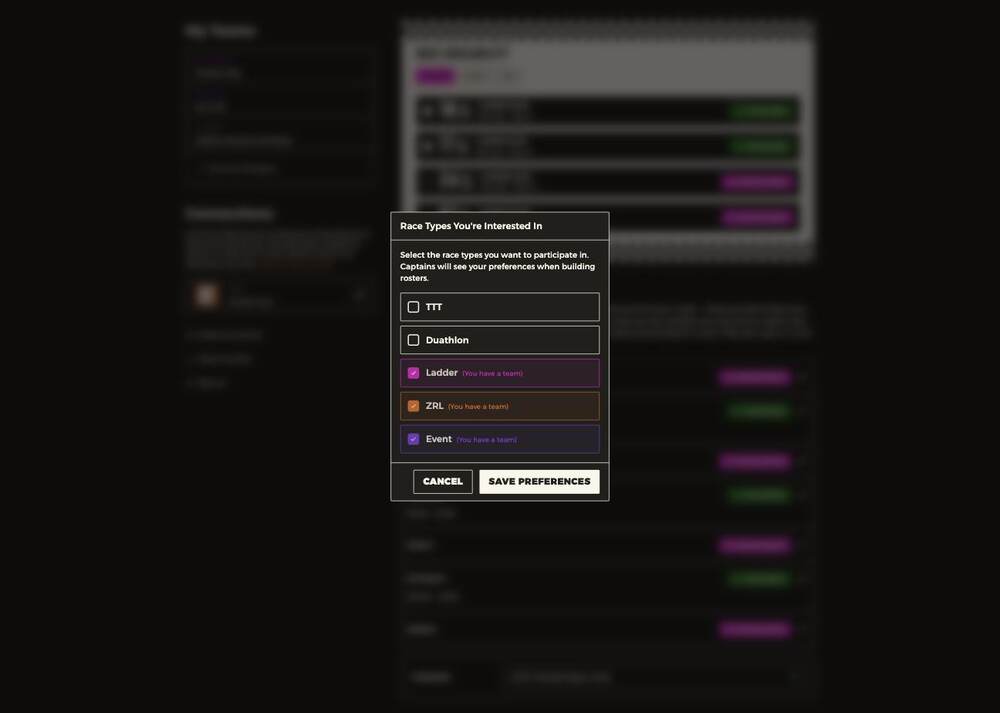
Anything you already have a team for is ticked and labelled. Ticking something new adds you to that competition's rider pool, where captains looking to fill a squad will find you.
Captains see your preferences
This isn't just a filter for you — it tells captains building rosters that you're open to that kind of racing.
Numbers you can't edit
Your Zwift ID is fixed once your account exists, and W/kg is calculated from your zFTP and weight rather than entered. If a number looks wrong, connect Zwift or ask a commissioner to correct it.
Starting a team of your own
If your club allows it, you can ask to create one. See Creating your own team.