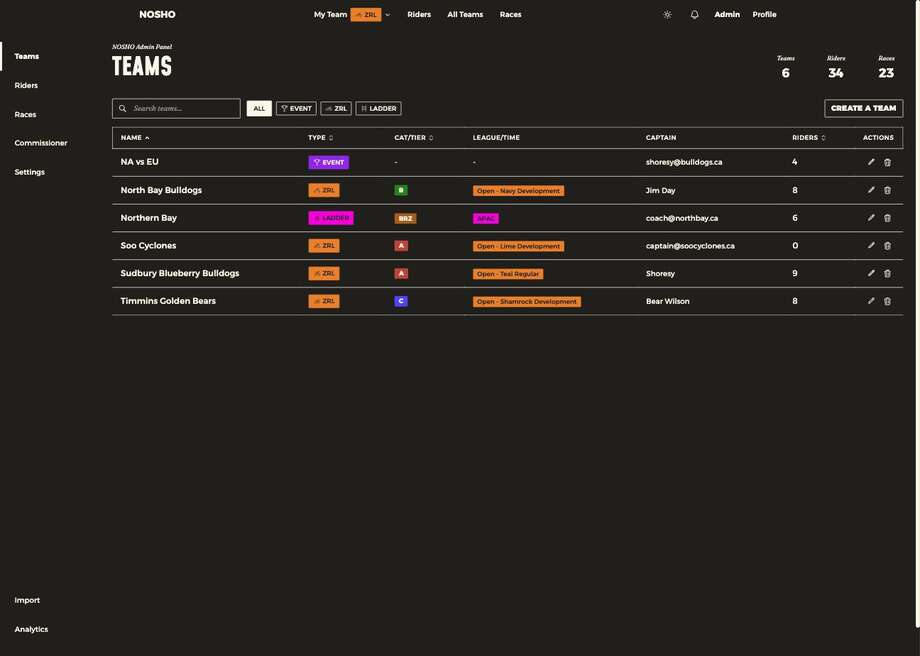
Create a Team, or the pencil to edit one. The form has two tabs.
Tab 1 — Team Settings
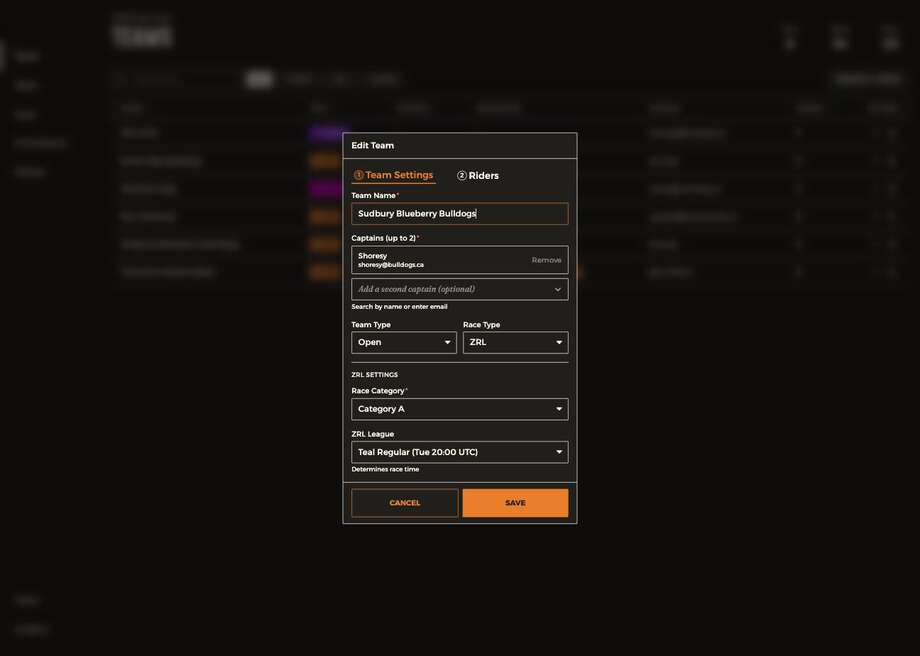
| Field | Notes |
|---|---|
| Team name | Required |
| Captains (up to 2) | Search by name, or type an email address for someone without an account yet |
| Team type | Open or Women's. A women's team filters men out of the rider lists |
| Race type | Drawn from the race types you enabled in Settings |
| Race category | A–D |
| League / time slot | This sets the race time |
⚠️ Race times come from the league, not from you
The league carries a fixed slot stored in UTC — "Teal Regular (Tue 20:00 UTC)", for example — and every rider sees it converted into their own local time. Pick the wrong league and your whole club has the wrong race time, with nothing on screen looking wrong.
✅ Why the captain field takes an email
Commissioners often aren't riders, and captains frequently sign up after you've built the team. Adding by email lets you finish setup now and have them attach to it later.
Tab 2 — Riders
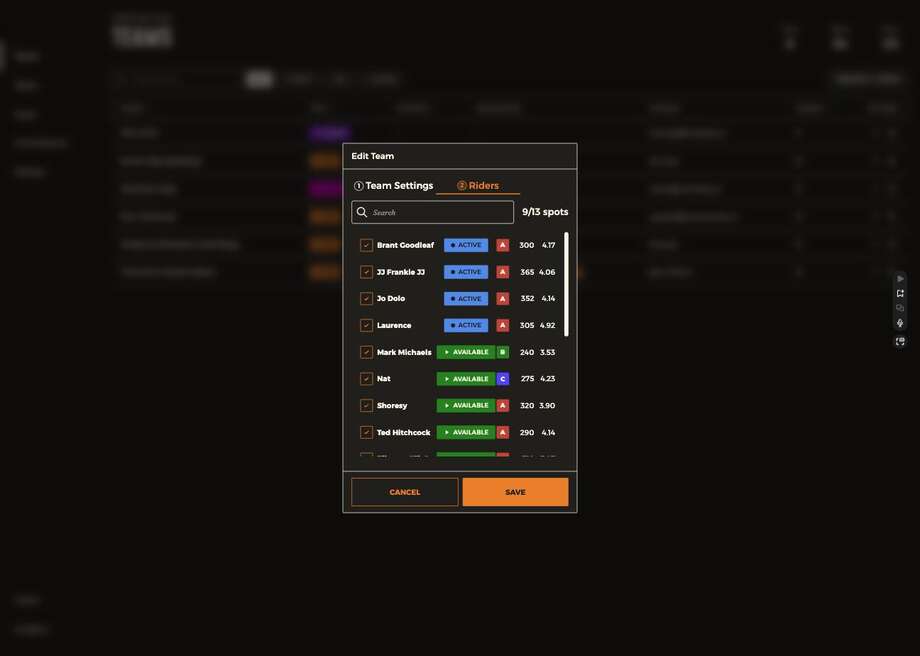
Assign riders in bulk; the counter tracks against the roster limit. This is one of three routes onto a team:
| Route | Who uses it | When |
|---|---|---|
| Edit Team → Riders | Commissioner | Assigning many existing riders at once |
| Invite Riders on My Team | Captain | Recruiting someone new onto their team |
| Claim on the Riders page | Captain | Picking up a rider with no club |